Quickstart Guide
Welcome to AITHA Portal, your all-in-one IoT monitoring and control platform.
What is AITHA Portal?
AITHA Portal is an advanced IoT platform that lets you monitor, control, and manage connected devices in real time through an intuitive web interface and a mobile app.
Getting Started
1. Download the Mobile App
The AITHA mobile app lets you set up and manage your devices from anywhere.
Download link: Coming soon (the link will be provided here).
2. Set Up Your Device via Bluetooth
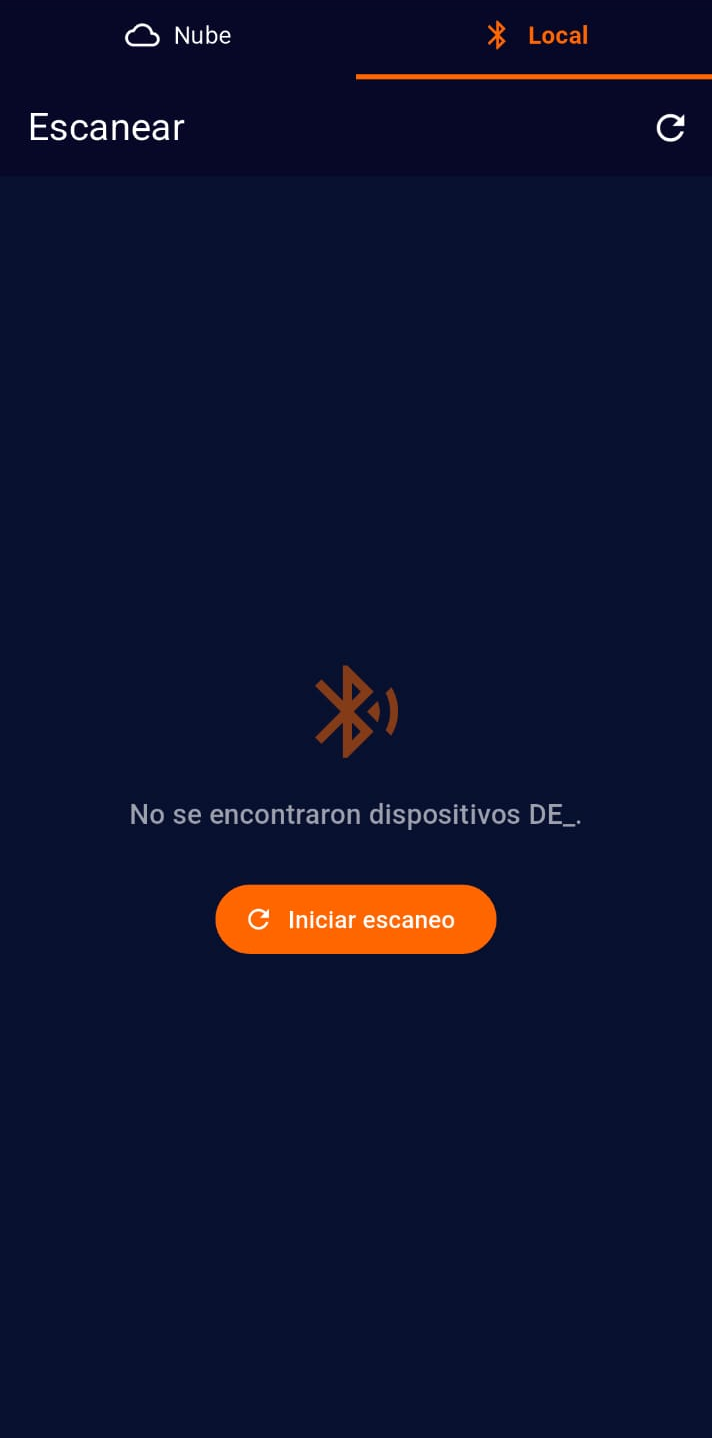
- Open the AITHA Portal mobile app
- Enable Bluetooth on your phone
- Select the "Local" option in the top menu
- The app will scan for nearby devices
- Select your AITHA device (prefix "DE_") from the list
- Enter the default PIN: 123456
- Follow the on-screen instructions to complete setup
The mobile app includes built-in help for each setup step. Tap the help icon (?) for detailed guidance.
3. Access the Platform
Once your device is configured, you can access the monitoring platform in two ways:
- Web portal:
https://portal.desarrolloselectronicos.com - Mobile app: Use the "Cloud" option in the top menu
4. Your First Login
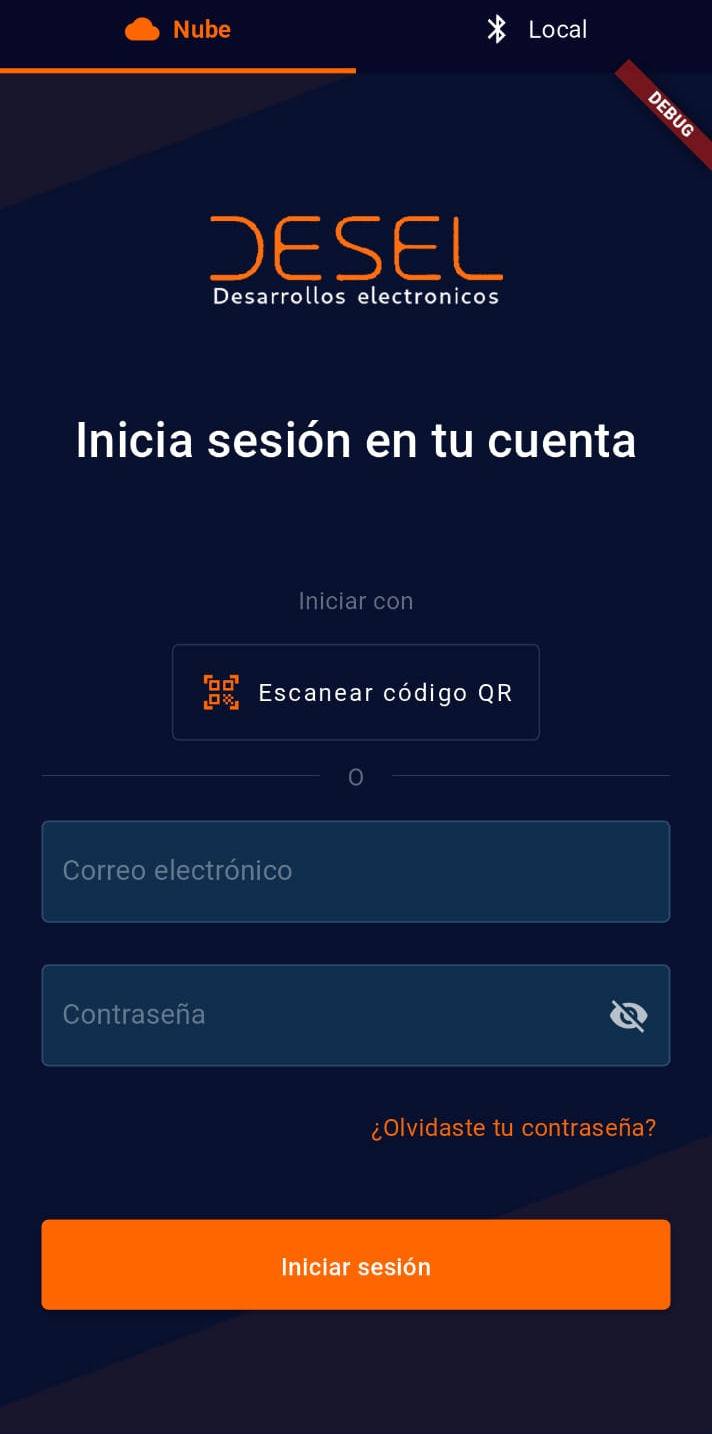
- Open the web portal or open the mobile app and enter the "Cloud" section
- Enter your credentials
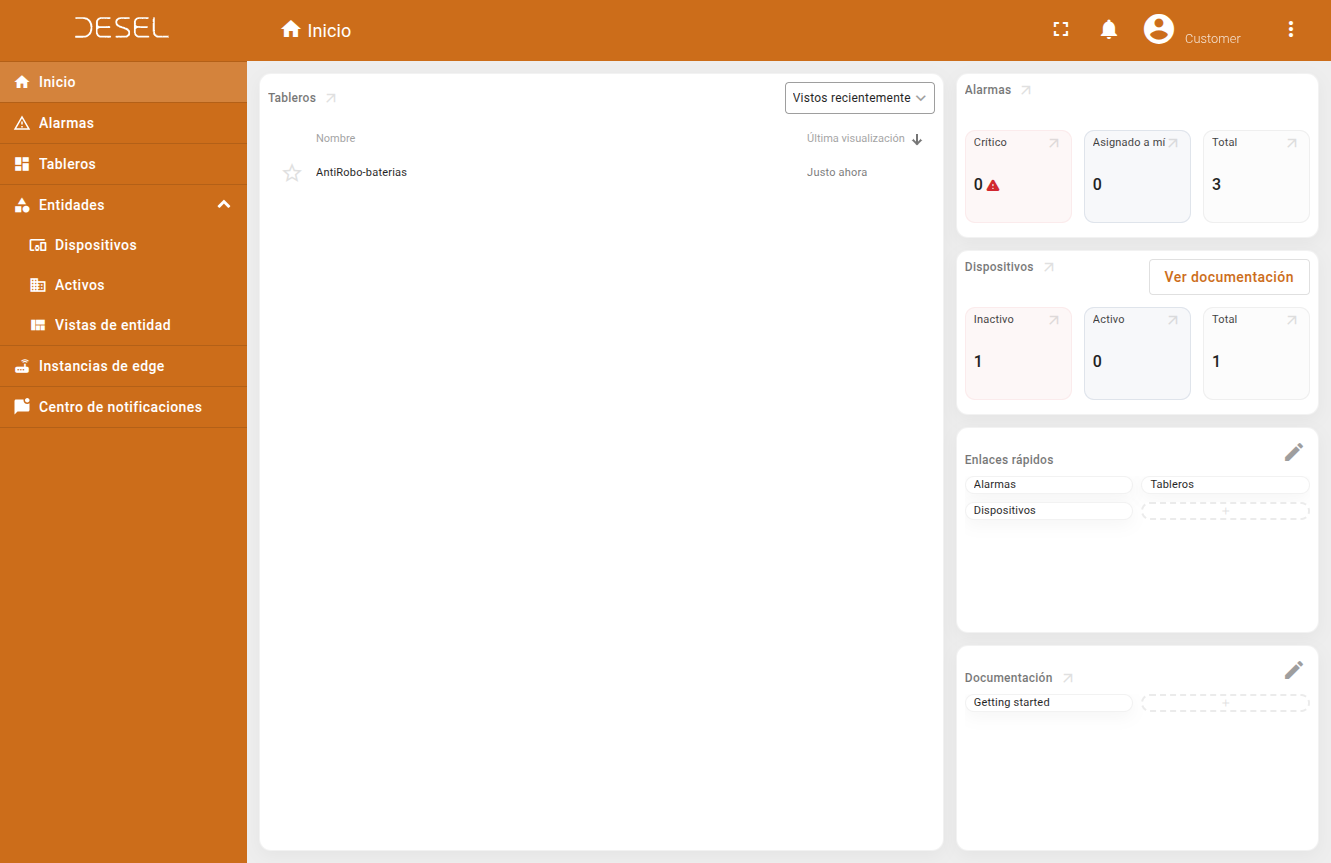
- You'll see the main dashboard
What's Next?
Now that you are set up, explore these features:
- Dashboards - View real-time data from all your devices
- Alarms - Configure and respond to system alerts
- Entities - Lists of devices and assets
For advanced configuration and technical details, see the Advanced Guide.
Need Help?
If you run into issues during setup:
- Check Bluetooth: Make sure the required permissions are granted.
- Technical support:
https://www.desarrolloselectronicos.com
Once connected, continue with the User Manual to explore all features.